AWS Code Pipeline is Amazon's fully managed CI/CD service, orchestrating workflows for building, testing, and deploying code across AWS resources. It's powerful for AWS-native pipelines but can be extended for hybrid or multi-cloud scenarios. Jaws Deploy integrates with CodePipeline to handle the deployment handover, focusing on CD orchestration like releases, lifecycles, and variable management—especially useful for deploying to non-AWS targets like Azure Web Apps, on-prem servers, or mixed environments.
In this setup, CodePipeline manages the CI phase (e.g., source from CodeCommit/S3, build with CodeBuild), then hands off to Jaws Deploy via API calls for hybrid/multi-cloud deploys. Use Jaws' REST API or PowerShell SDK, invoked through a CodeBuild action or Lambda in your pipeline. This enables seamless multi-cloud strategies, where AWS handles builds and Jaws deploys across providers.
This guide covers prerequisites, setup, an example pipeline, and tips, emphasizing hybrid/multi-cloud benefits.
Why Integrate AWS CodePipeline with Jaws Deploy?
- Hybrid/Multi-Cloud Flexibility: CodePipeline excels in AWS ecosystems (e.g., building for ECS/EC2); Jaws extends to Azure, GCP, or on-prem, enabling unified deploys without vendor lock-in.
- Efficient Handover: Automate release creation in Jaws post-build, using lifecycles for progression across clouds (e.g., test in AWS Staging, promote to Azure Production).
- Advanced CD Capabilities: Gain Jaws' scoping, tags, and dashboards for monitoring multi-cloud deploys, beyond CodePipeline's native actions.
- Cost and Simplicity: Avoid complex Lambda scripts; Jaws' API simplifies orchestration for distributed teams.
This integration shines in scenarios like deploying a .NET app built in AWS to Azure Web Apps, or hybrid setups with on-prem validation.
Prerequisites
- A Jaws Deploy account (sign up at https://app.jawsdeploy.net/signup).
- An AWS account with CodePipeline, CodeBuild, and optionally Lambda/IAM roles.
- A Jaws project with steps, environments (e.g., AWS-Staging, Azure-Prod), and a package store for artifacts.
- AWS CLI or console access for setup.
- Familiarity with YAML/JSON for pipeline definitions.
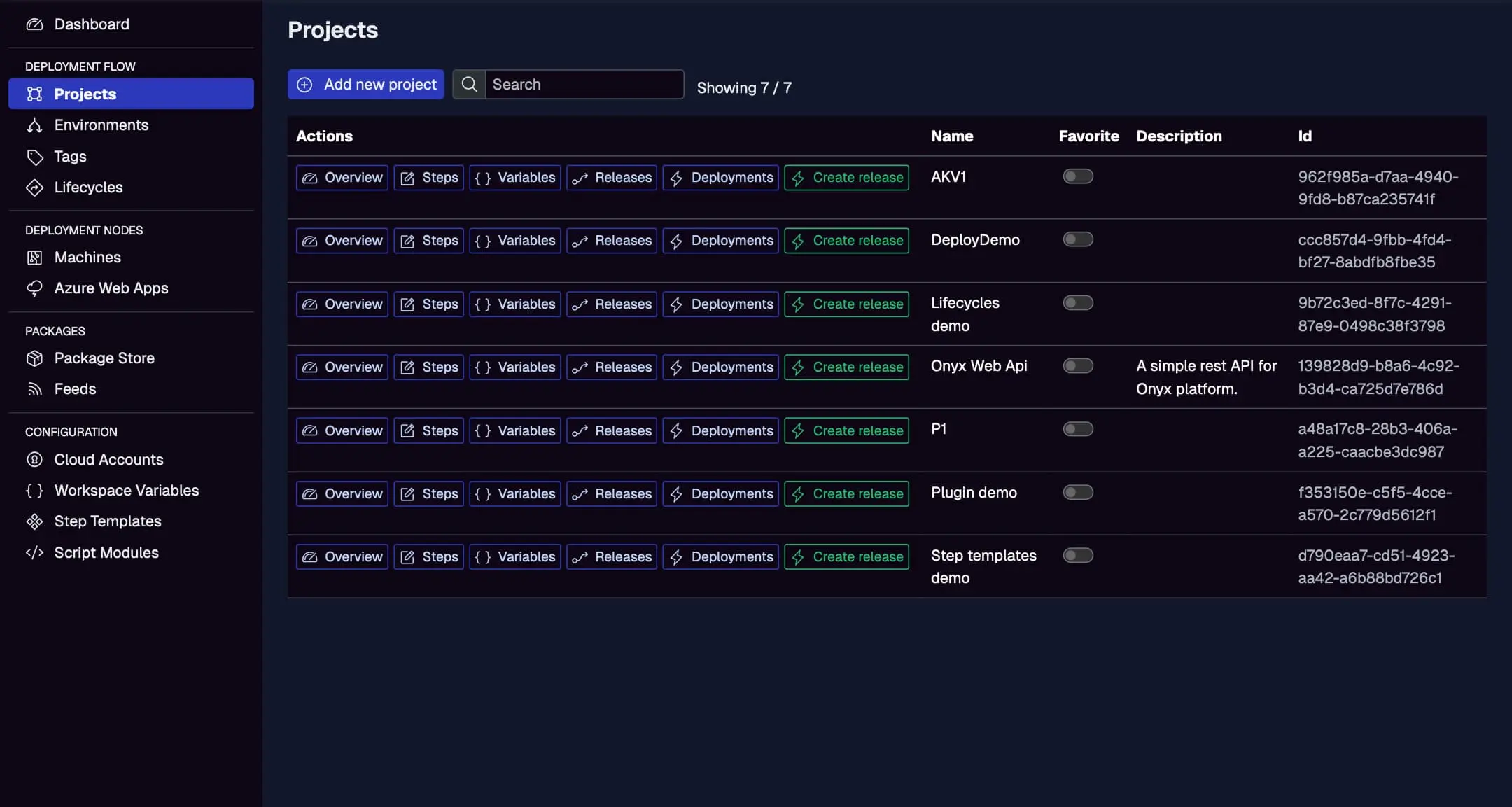
Configure your Jaws project here, scoping variables for multi-cloud targets.
Step 1: Create a Service Account in Jaws Deploy
For secure API invocation from AWS:
- In Jaws, go to Settings > Service Accounts.
- Add a new account (e.g., "AWSCodePipelineDeployer") with permissions for release creation and deployment on relevant projects/workspaces.
- Copy the service account ID and API key.
In AWS:
- Use SSM Parameter Store or Secrets Manager to store credentials securely.
- Create an IAM role for CodeBuild/Lambda with access to these secrets.
See the Service Accounts and Automation Guide.
Step 2: Choose Your Integration Method
- REST API: Call endpoints directly via curl in CodeBuild scripts. Simple for bash-based actions.
- PowerShell SDK: Use in CodeBuild (Windows runtime) or Lambda for wrapped commands like
Invoke-ReleaseAndDeployProject. - Lambda Invoke: For complex logic, create a Lambda function to handle API calls.
We'll use CodeBuild with REST for the example, ideal for hybrid handoffs.
Step 3: Set Up Your AWS CodePipeline
Create a pipeline in AWS CodePipeline (console or CDK/Terraform). Add a "Deploy" stage after Build that uses CodeBuild to call Jaws API.
Example Pipeline Setup (via AWS Console or YAML)
- Source Stage: From CodeCommit/S3/GitHub.
- Build Stage: Use CodeBuild to compile (e.g., .NET app) and zip artifacts.
- Deploy Stage: Add a CodeBuild action with a buildspec.yml that uploads packages and triggers Jaws.
Sample buildspec.yml for Deploy Stage (CodeBuild Project)
version: 0.2

phases:
  install:
    runtime-versions:
      dotnet: 8.0  # Or your runtime
  pre_build:
    commands:
      - echo Fetching credentials from SSM...
      - JAWS_API_LOGIN=$(aws ssm get-parameter --name "/jaws/login" --query "Parameter.Value" --output text)
      - JAWS_API_PASSWORD=$(aws ssm get-parameter --name "/jaws/password" --with-decryption --query "Parameter.Value" --output text)
  build:
    commands:
      # Assume artifact (app.zip) from previous stage; upload to Jaws package store
      - auth=$(echo -n $JAWS_API_LOGIN:$JAWS_API_PASSWORD | base64)
      - curl -X POST "<https://app.jawsdeploy.net/api/packagestore/package>" \\
          -H "Authorization: Basic $auth" \\
          -F "file=@app.zip" \\
          -F "packageId=my-app" \\
          -F "version=$CODEPIPELINE_BUILD_ID.0.0"  # Use pipeline ID for SemVer
      # Create release
      - release_response=$(curl -X POST "<https://app.jawsdeploy.net/api/release>" \\
          -H "Authorization: Basic $auth" \\
          -H "Content-Type: application/json" \\
          -d "{\\"projectId\\": \\"your-project-id\\", \\"version\\": \\"$CODEPIPELINE_BUILD_ID.0.0\\", \\"packageVersions\\": {\\"my-app\\": \\"$CODEPIPELINE_BUILD_ID.0.0\\"}}")
      # Extract releaseId (using jq; install if needed: apt install jq)
      - release_id=$(echo $release_response | jq -r '.releaseId')
      # Deploy to Staging (or multi-cloud env)
      - curl -X POST "<https://app.jawsdeploy.net/api/release/deploy>" \\
          -H "Authorization: Basic $auth" \\
          -H "Content-Type: application/json" \\
          -d "{\\"releaseId\\": \\"$release_id\\", \\"environments\\": [\\"Staging\\"]}"
  post_build:
    commands:
      - echo Deployment triggered to Jaws for hybrid/multi-cloud rollout.
Key Explanations
- Pre-Build: Retrieves secrets from SSM.
- Build: Uploads package, creates release, extracts ID, and deploys. Adapt for multi-cloud by scoping Jaws environments to Azure/on-prem.
- Versioning: Uses pipeline ID for traceability.
- IAM: Ensure CodeBuild role has
ssm:GetParameterand internet access.
For PowerShell SDK in CodeBuild (Windows runtime):Replace commands with pwsh scripts to import SDK and call Invoke-ReleaseAndDeployProject.
For Lambda: Create a function invoked by CodePipeline, passing artifacts and calling API.
Reference the API Reference for endpoints.
Step 4: Test and Monitor
- Trigger the pipeline via commit or manual start.
- Check CodePipeline/CodeBuild logs.
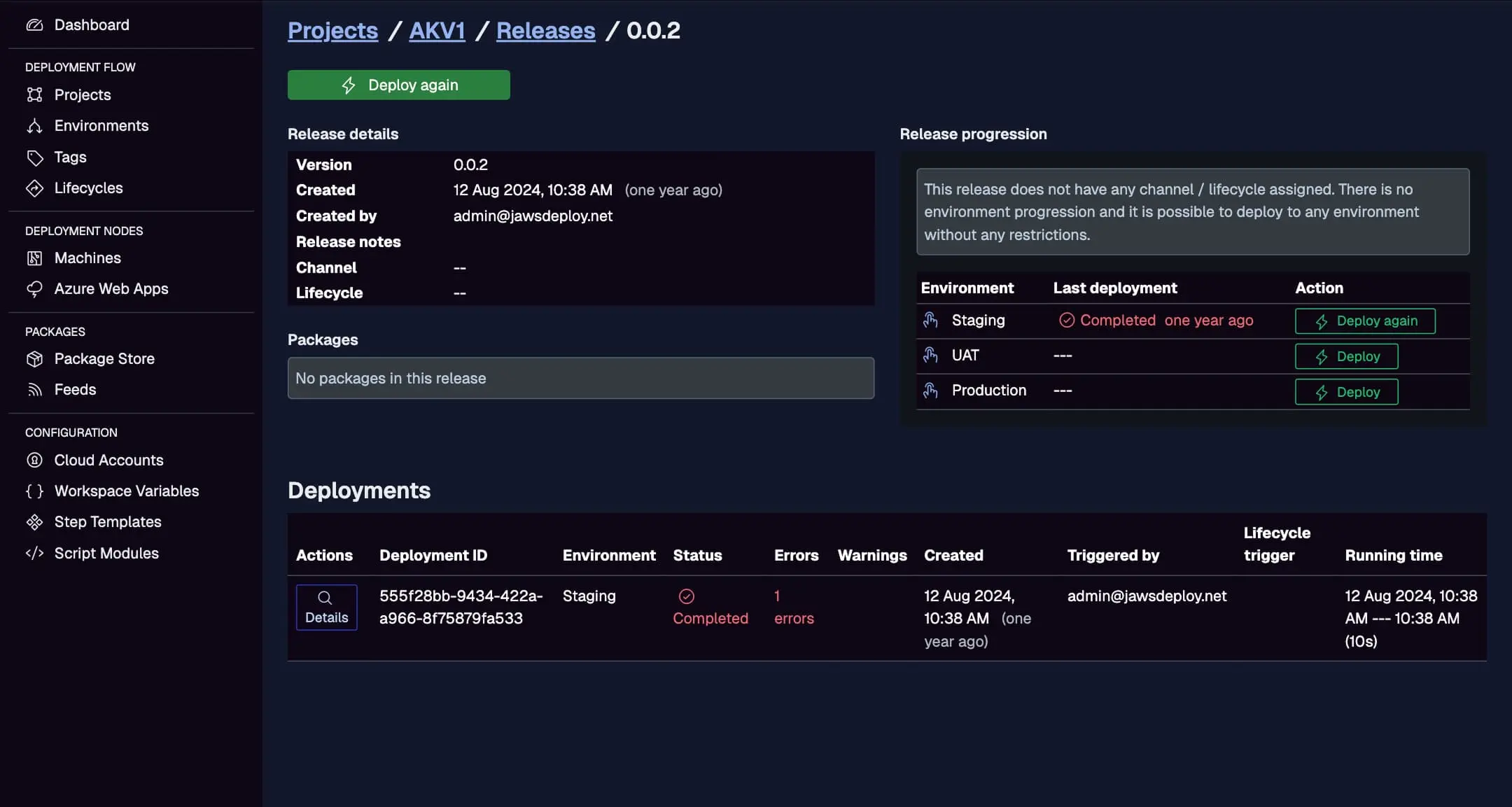
- In Jaws, monitor the Deployments tab for cross-cloud progress.
View AWS-handed deploys here, with statuses across hybrid environments.
Set __debug to true in Jaws for detailed logs.
Best Practices
- Secure Secrets: Use SSM/Secrets Manager; least-privilege IAM roles.
- Multi-Cloud Scoping: Define Jaws environments/tags for AWS/Azure separation; use variables for provider-specific configs.
- Approvals: Add manual approval actions in CodePipeline before Jaws handover.
- Error Handling: Use try-catch in scripts; notify via SNS on failures.
- Scaling: Use CodePipeline branches for env-specific deploys (e.g., dev to AWS, prod to Azure).
- Updates: Monitor AWS quotas; test hybrid flows end-to-end.
Troubleshooting Common Issues
- Auth Failures: Verify SSM access and Base64 encoding.
- Package Errors: Ensure artifact paths from previous stages.
- API Timeouts: Increase CodeBuild timeouts or optimize calls.
- Multi-Cloud Gaps: Check Jaws cloud accounts for Azure integration.
- Logs: Use Jaws' UI for deployment details; CloudWatch for AWS.
Consult AWS docs or our API Reference.
Conclusion
Integrating AWS CodePipeline with Jaws Deploy enables robust hybrid/multi-cloud deploys, where AWS builds feed into Jaws' orchestration for seamless cross-provider rollouts.
For more, see the CI/CD Integration Guide. Build your pipeline today! New to Jaws? Try the Getting Started guide.