Environments and targets form the backbone of your deployment topology in Jaws Deploy, allowing you to model real-world infrastructure and control where and how releases are rolled out. Environments represent logical stages in your pipeline (e.g., development, testing, production), while targets are the actual destinations—such as servers, VMs, or cloud services—where the deployment logic executes. This separation ensures precise, secure, and scalable deployments, especially in hybrid or multi-cloud setups.
Whether you're deploying a simple web app or managing enterprise-scale microservices, understanding these concepts helps prevent config leaks, enforce progression rules, and simplify migrations from tools like Bamboo. This article explains how to set them up, manage them, and integrate with deployment logic.
What Are Environments?
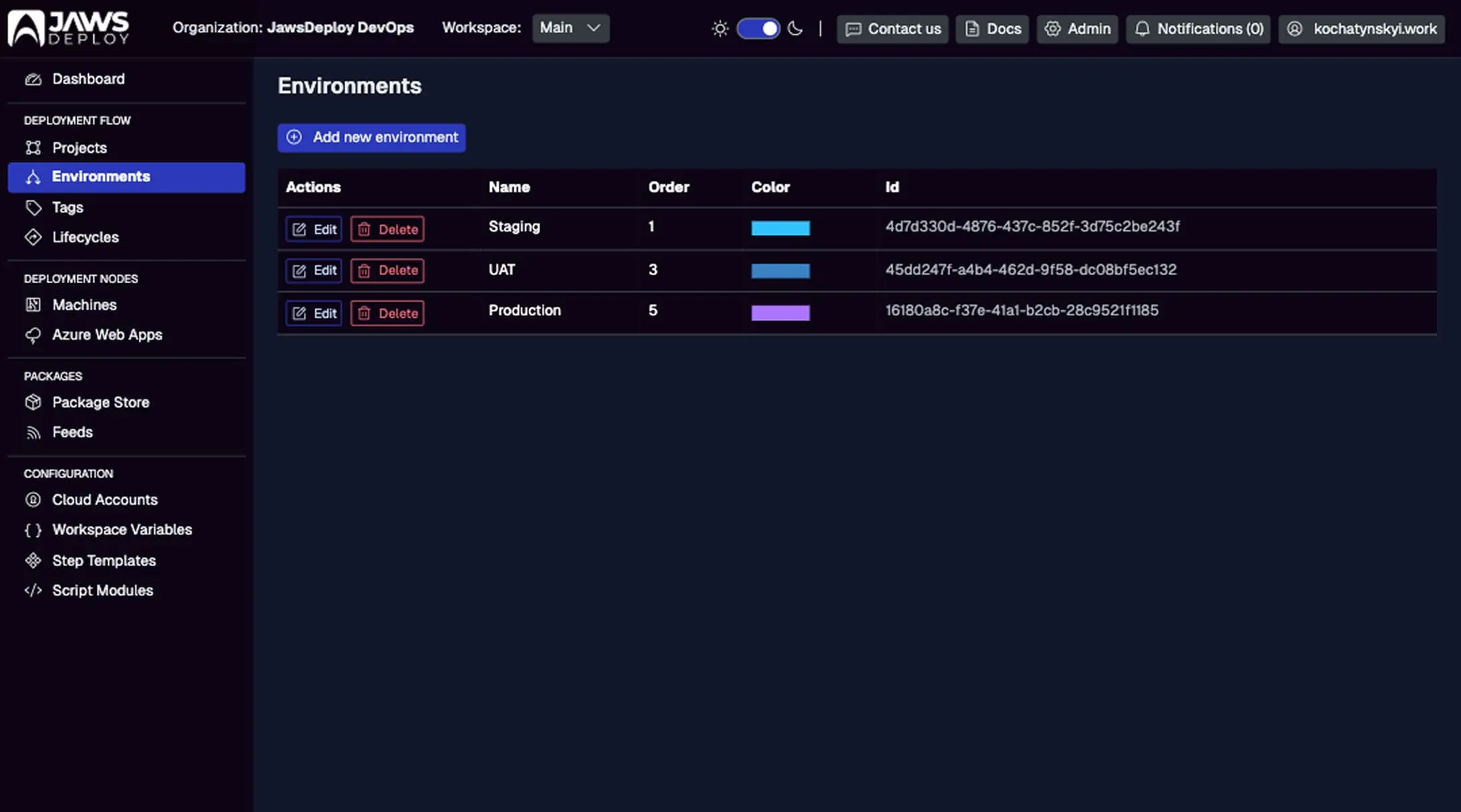
Environments are logical groupings that define stages in your release lifecycle, such as "Dev," "Staging," or "Production." They act as gates, controlling access and configurations without tying directly to physical infrastructure.
Key features:
- Progression Control: Use lifecycles to automate or gate promotions (e.g., require approvals before moving from Staging to Production).
- Scoping: Variables and steps can be scoped to environments for env-specific behavior (e.g., different connection strings in Dev vs. Prod).
- Visibility: Dashboards show activity, trends, and deployment history per environment, helping spot bottlenecks.
Environments are shared across projects in a workspace, making them reusable for consistent pipelines.
This shows environments like Staging and Production with last deployments, statuses, durations, and trends. Use it to monitor activity at a glance.
What Are Targets?
Targets are the execution endpoints for your deployments. Jaws supports two main types:
- Machines: Physical or virtual servers running the Jaws Deploy Agent—a lightweight service for Windows/Linux. Agents pull tasks from Jaws, execute steps, and report back.
- Cloud Targets: Managed services like Azure Web Apps, where Jaws interacts directly via APIs without an agent.
Targets are assigned to environments (one-to-many) and can be tagged for flexible grouping (e.g., "region-us," "app-tier"). This enables targeted deploys without overcomplicating logic.
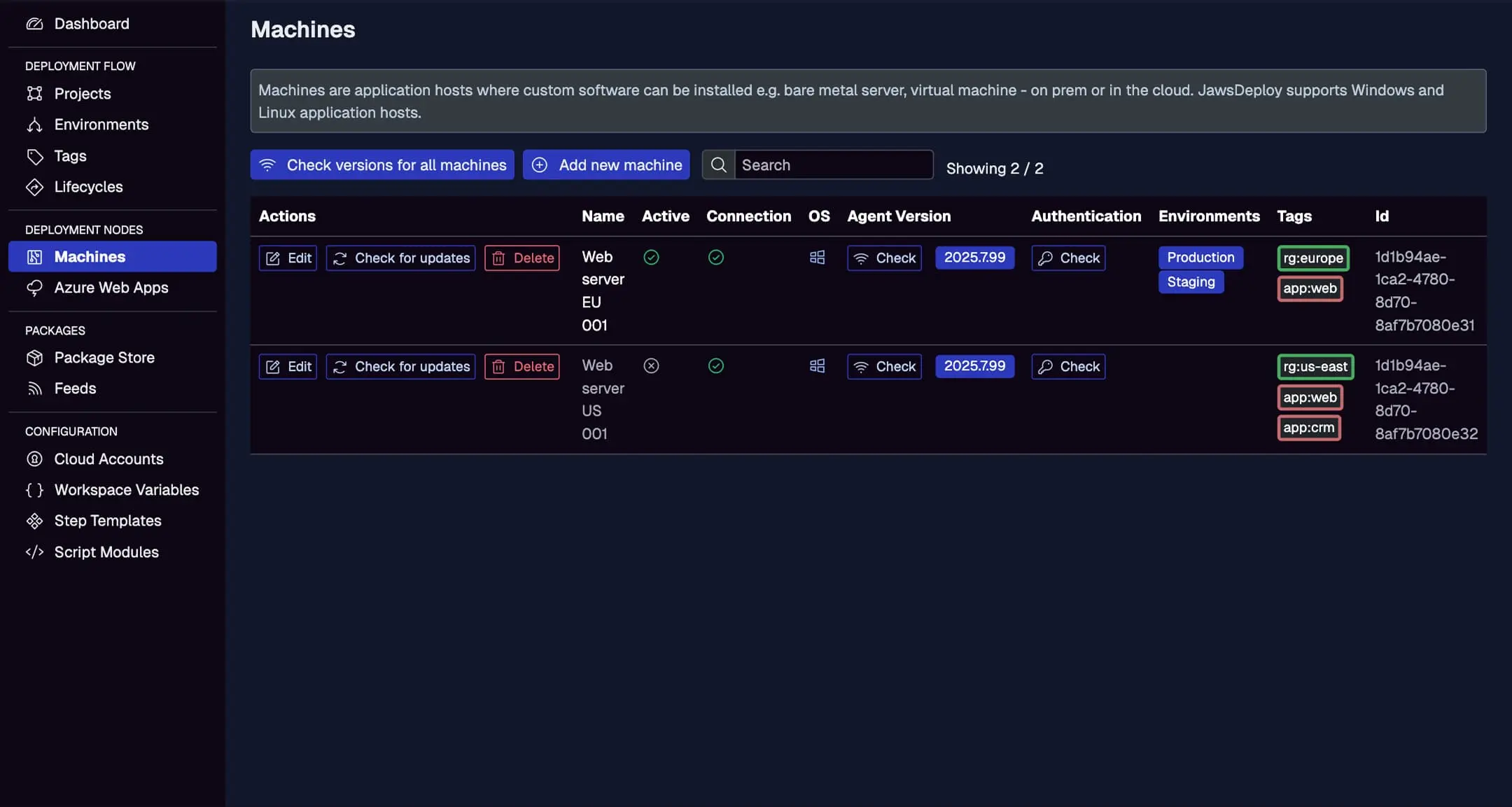
View machines with active status, connection, OS, agent version, environments, tags, and actions like checking updates. Tags like "app-web.1.0" help in scoping.
Setting Up Environments
- Add Environments: From the left menu, go to Environments > Add new environment. Name it (e.g., "Staging"), add a description, and optionally assign a lifecycle.
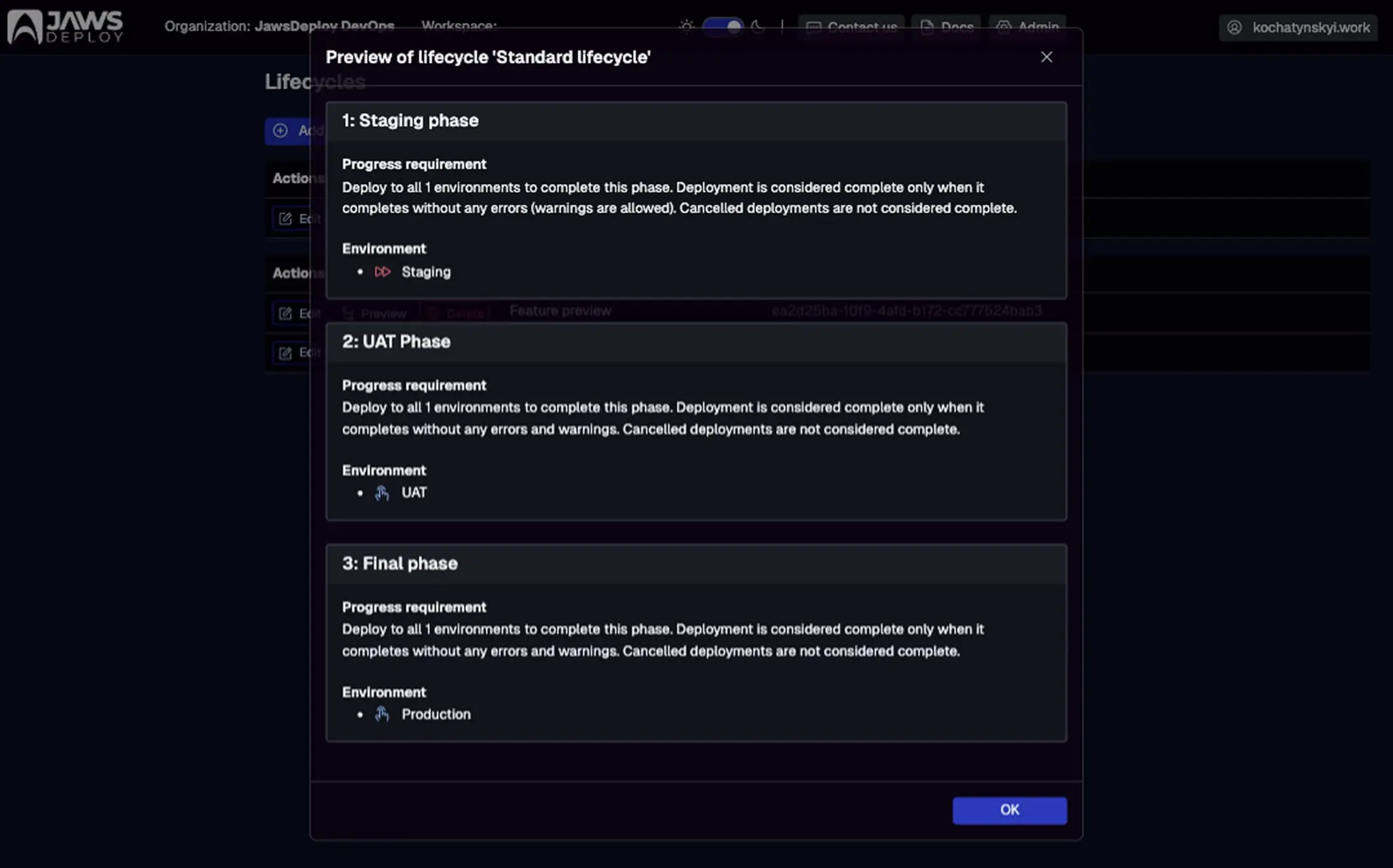
- Configure Lifecycles: In the Lifecycles menu, define phases (e.g., "Test" > "Stage" > "Prod") with rules like mandatory environments or manual approvals. Assign to projects for automated progression.
- Scope Resources: Link variables or steps to environments via scoping—e.g., a secret variable only resolves in "Production" for security.
For enterprise migrations (e.g., from Bamboo), map Bamboo stages to Jaws environments: Start with a 1:1 replication, then optimize with lifecycles to reduce manual gates.
Tip: Use channels for variant paths, like fast-tracking hotfixes through a "Beta" environment.
Setting Up Targets
Machines
- Install Agent: Download the installer from the Machines page or docs. Run on your server (Windows service or Linux systemd). It handshakes with Jaws automatically.
- Add and Configure: Once online, the machine appears in the list. Assign environments, tags, and check connection/agent version.
- Agent Management: Agents auto-update; use "Check for updates" for manual control. Supported on Windows/Linux, with .NET 8 runtime.
Cloud Targets
- Add Cloud Accounts: In Cloud Accounts, link providers like Azure (subscription ID, tenant, etc.).
- Configure Targets: For Azure Web Apps, add via the Azure Web Apps menu—select slot, region, and link to environments.
- Hybrid Use: Combine with machines for mixed deploys, e.g., app to Azure, database to on-prem VM.
During migrations, install agents on existing Bamboo agents for dual-running; gradually decommission as you shift to Jaws.
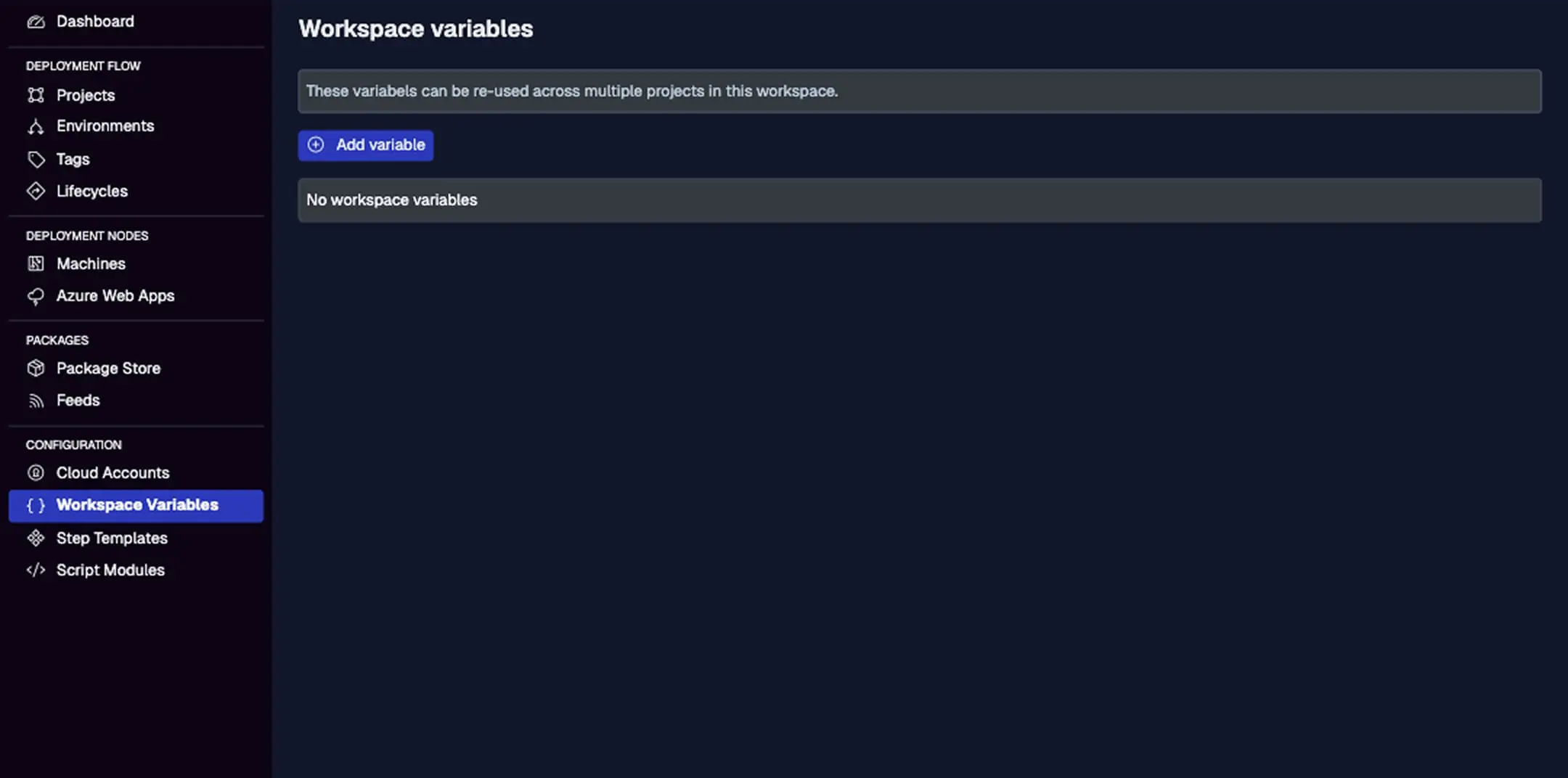
While not directly for targets, use variables scoped to machines/cloud for target-specific configs, like Azure keys.
Integrating with Deployment Logic
- Targeting Deploys: In project steps, select targets via environments or tags—e.g., deploy only to machines tagged "web-tier" in "Staging."
- Parallelism and Conditions: Steps run in parallel across targets; add conditions (e.g., OS-specific) for fine control.
- Monitoring: Deployments show per-target logs and statuses; use dashboards for cross-environment views.
- Migration Tip: In Bamboo-Jaws hybrids, trigger Jaws deploys from Bamboo scripts post-build, passing artifacts via API for seamless transition.
Best Practices
- Simplify Topology: Start with 3-5 environments; use tags for granularity instead of proliferating envs.
- Security: Scope secrets to targets/environments; use Azure Key Vault integration for external storage.
- Enterprise Scale: For migrations, audit Bamboo agents and map to Jaws machines; leverage self-hosted Jaws Stack for on-prem parity.
- Performance: Tag for selective deploys; monitor trends to optimize slow targets.
- Testing: Use DEV environments for dry runs; enable
__debugfor variable resolution insights.
Conclusion
Environments and targets in Jaws Deploy provide a flexible foundation for modeling and executing deployments, making it easy to manage complex infrastructures—especially during enterprise migrations from tools like Bamboo.
Dive deeper with Managing Release Progression with Lifecycles or Installing Jaws Deploy Agent. For migration help, see Migrating from Octopus Deploy (adaptable principles). Ready to configure? Head to your dashboard now!