Releases in Jaws Deploy are versioned snapshots of your project's deployment logic, capturing the state of steps, variables, and packages at a specific point in time. They serve as immutable bundles ready for deployment to one or more environments, ensuring consistency and traceability across your pipeline. Creating a release is a key step in the CD process: It packages your build artifacts (from CI tools like Bamboo or GitHub Actions) and applies rules like channels or lifecycles for controlled rollouts.
Whether triggered manually via the UI for quick tests or automated through API integrations for production workflows, releases make deployments repeatable and auditable. This is especially valuable in enterprise migrations (e.g., from Bamboo), where you can replicate build numbers as release versions for seamless continuity. As of September 2025, releases now support enhanced container tagging in notes for better integration with Docker workflows.
This article walks through creating releases, managing versions, adding notes/packages, and automating the process.
Understanding Releases
A release represents a deployable version of your project:
- Versioning: Follows SemVer 2.0 (e.g., 1.2.3-rc1), ensuring semantic clarity and compatibility checks.
- Components: Includes selected package versions, variable snapshots, step configurations, and optional notes/channels.
- Immutability: Once created, a release can't be edited—recreate if changes are needed, promoting safe promotions.
- Relation to Deployments: Releases are deployed to environments via lifecycles; track history for rollbacks.
Releases are tied to channels (optional) for branching logic, like "Stable" vs. "Beta." In migrations, map Bamboo build artifacts to Jaws releases for version parity.
This shows release version, creation time, notes, channel, packages, and deployment history. Use the "Create Release" button here.
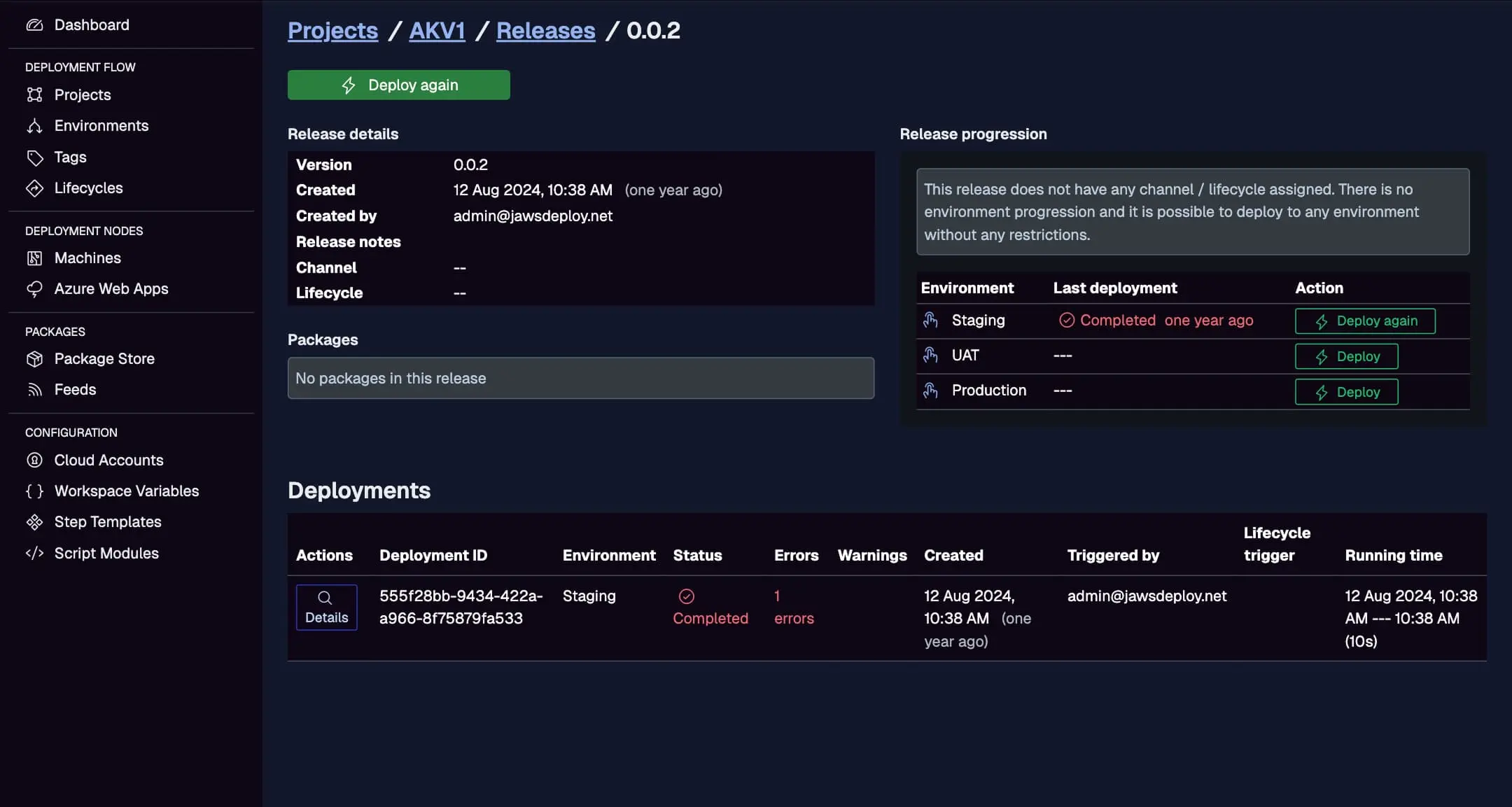
Creating a Release Manually
For testing or ad-hoc deploys:
- Navigate to the Project: From the Projects page, select your project and go to the "Releases" tab.
- Click Create Release: Provide:
- Version: A unique SemVer string (auto-suggests next increment, e.g., from 2.1.37 to 2.1.38).
- Channel: Optional; select for lifecycle variants (e.g., hotfix channel skips testing).
- Packages: Choose versions from your package store (e.g., my-app v2.1.37); supports multi-package projects.
- Notes: Add details like changelog, Jira tickets, or container tags (e.g., "Image: myrepo/app:2.1.37").
- Review and Create: Preview the snapshot; Jaws validates compatibility (e.g., package existence).
- Deploy Immediately (Optional): Check "Deploy after creation" and select environments.
Post-creation, the release appears in the list with status and quick deploy actions.
For enterprise teams, use notes to link to Jira for compliance; during Bamboo migrations, script version syncing via API.
Automating Release Creation
For CI/CD integration, automate via REST API or PowerShell SDK—essential for production pipelines.
Using the REST API
- Endpoint:
POST /api/release - Auth: Basic with service account.
- Body Example:
{
  "projectId": "abc123",
  "version": "2.1.38",
  "channelName": "Stable",
  "notes": "Built from commit abcdef; Jira: PROJ-123",
  "packageVersions": {"my-app": "2.1.38"}
}
- Response: Release ID for subsequent deploys.
Trigger from CI tools like GitHub Actions or Bamboo post-build.
Using the PowerShell SDK
- Command:
Invoke-ReleaseAndDeployProject -projectId "abc123" -version "2.1.38" -environmentName "Staging" - Simplifies creation + deploy in one call.
In migrations, add this to Bamboo scripts for hybrid runs: Build in Bamboo, create/release in Jaws.
Managing Release Versions and Packages
- Version Rules: Must be unique per project/channel; use build numbers (e.g., from CI) for traceability.
- Packages: Upload via UI/API to the package store before release; supports .zip, .tar.gz, NuGet. For containers, note image tags in releases—Jaws steps can pull/deploy them.
- Redownload Option: During deploy, force package re-download for freshness.
- Cleanup: Delete old releases via UI/API to manage storage.
Enterprise Tip: In large setups, use channels to separate release streams (e.g., "LTS" for stable enterprise branches).
Best Practices
- Semantic Versioning: Follow MAJOR.MINOR.PATCH; use pre-releases (-rc1) for testing.
- Automation First: Manual for dev; API for prod—integrate with CI for zero-touch.
- Notes for Traceability: Include commit hashes, tickets; link to Jira/Bitbucket.
- Migration Strategy: From Bamboo, export build artifacts and trigger Jaws releases via scripts; test lifecycles to mimic Bamboo gates.
- Security: Use service accounts with minimal scopes; audit release history.
- Debugging: Deploy with
__debug = trueto log resolved vars/packages.
Conclusion
Creating releases in Jaws Deploy bridges your builds to deployments, with flexible manual/automated options suited for enterprise migrations from tools like Bamboo.
For more, see Managing Release Progression with Lifecycles or CI/CD Integration. Automate your first release—check the API Reference for details! New to Jaws? Start with Getting Started.