Deployment history and auditing in Jaws Deploy provide essential tools for tracking, reviewing, and ensuring compliance in your CD processes. History lets you view past deployments, analyze trends, and rollback if needed, while auditing focuses on who did what, when, and how—crucial for security and regulatory requirements. Together, they offer transparency into your operations, helping debug issues, optimize workflows, and maintain accountability.
In enterprise migrations from tools like Bamboo or Octopus, these features map to build logs and user permissions, but with enhanced UI dashboards and API access for automation. As of September 23, 2025, history now includes improved filtering for container-related deploys, and auditing logs API actions more granularly.
This article covers viewing history, accessing logs, auditing user actions, and best practices.
Viewing Deployment History
Deployment history records every release rollout, allowing you to revisit outcomes and patterns.
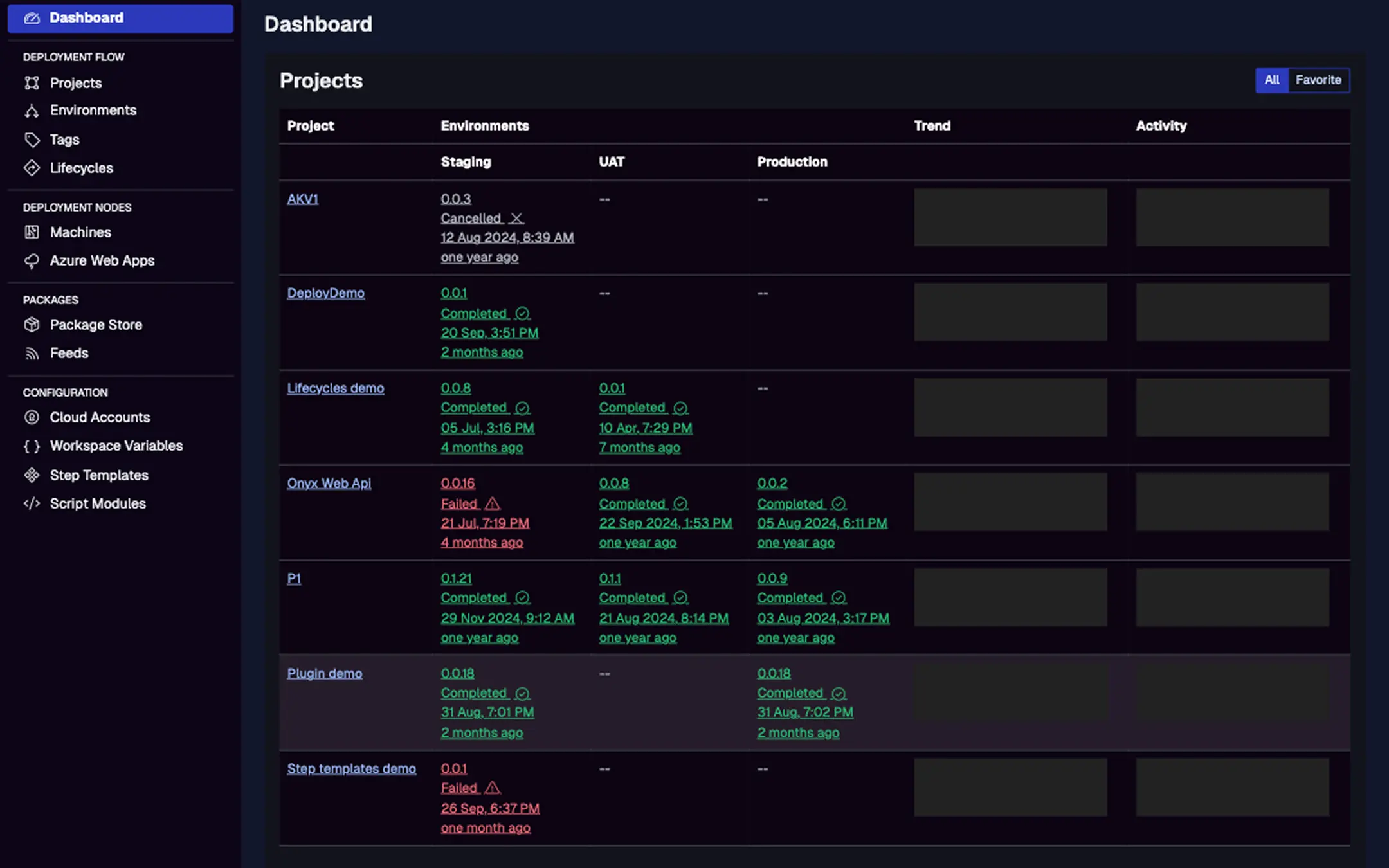
- Access History: From a project > Deployments tab, or the main dashboard for cross-project views. See lists with deployment ID, environment, status (Completed/Failed), errors/warnings, creation time, trigger (e.g., user or CI tool like TeamCity), and duration.
- Trends and Activity: Dashboards show graphs of deployment frequency, durations, and success rates over time—filter by project, environment, or date.
- Release Association: Each deployment links to its release, showing version, notes, and packages for context.
- Rollback Support: Redeploy past releases directly from history for quick reversions.
In migrations, use history to compare Jaws deploys with Bamboo runs; export data via API for reporting.
This displays projects with recent deployments, trends (bar graphs for activity), and summaries of statuses, errors, warnings, and durations. Filter to drill down.
Shows a release's deployment history with statuses, times, and triggers; click to view logs.
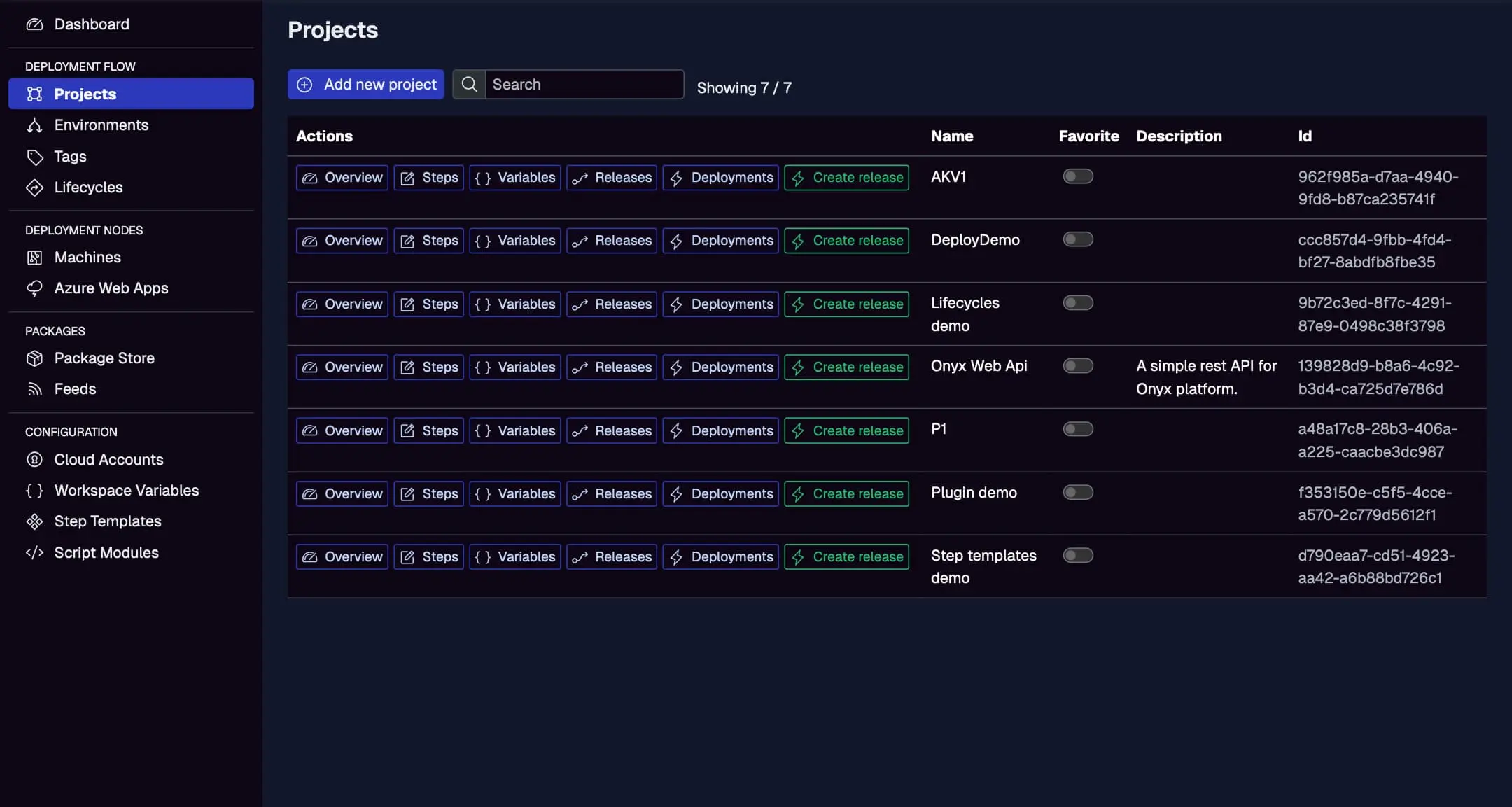
Accessing Deployment Logs
Logs provide detailed insights into what happened during a deployment.
- Live and Historical Logs: During execution, view real-time logs in the deployment page. Post-deploy, access from history—logs include step outputs, timestamps, machine IPs, file operations, errors, and warnings.
- Structured Format: Logs are grouped by step and target, with levels (Info, Warning, Error) for easy scanning.
- Debug Mode: Set
__debug = truein variables for verbose output, including resolved vars and contexts—great for troubleshooting. - API Access: Use GET /deployment with deploymentId to fetch status and logs (optional skipLogs or getLogsAfter for paging). Response includes status object and logs array with timestamps, levels, and messages.
For enterprises, logs aid compliance; integrate with external tools via API for centralized monitoring.
Auditing User and System Actions
Auditing ensures traceability of changes and operations.
- RBAC and Permissions: Actions are gated by roles (e.g., Organization Admin, Project Deployer)—view in Settings > Roles & Permissions. Roles scope to workspaces/projects/environments, logging who can do what.
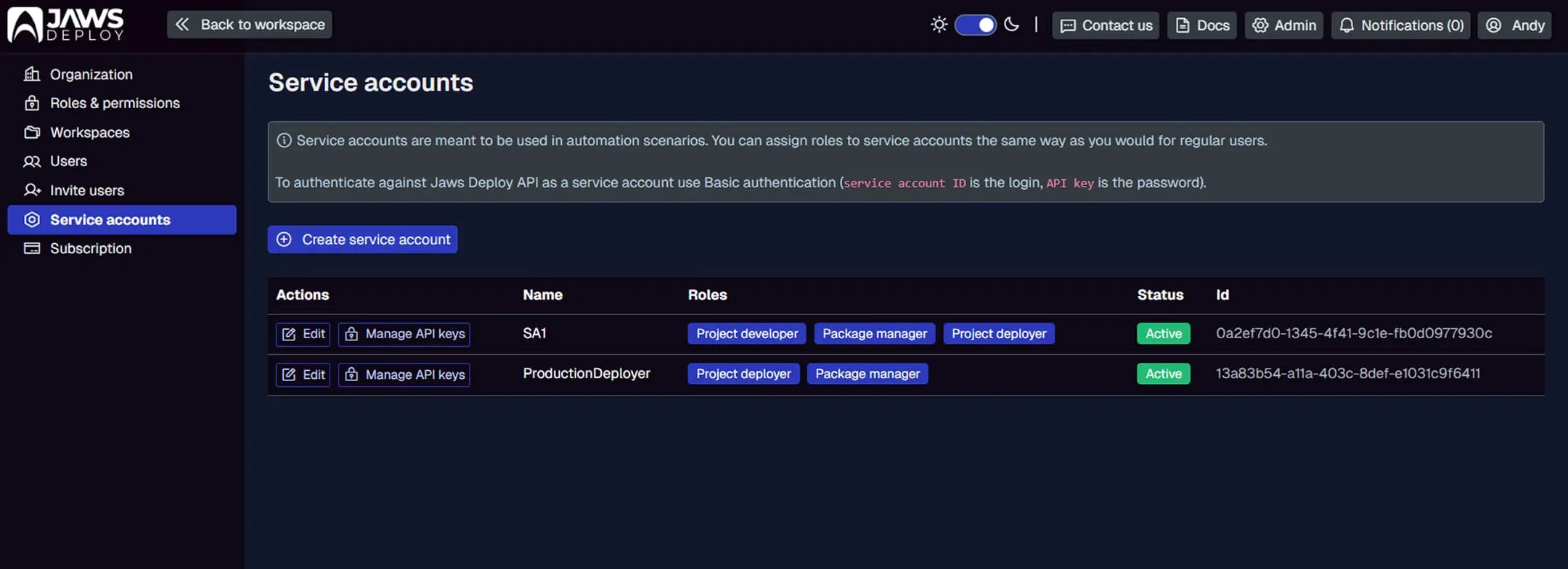
- Service Accounts: For API auditing, track actions via account names (e.g., "TeamCity" for CI triggers). API keys are one-time view, with Basic Auth for secure access.
- Audit Trails: History implicitly audits deploys (who triggered, when); for broader actions (e.g., project edits), use notifications and user invite/accept logs.
- Compliance Tools: Export history/logs via API for reports; integrate with Jira for ticket-linked audits.
In Bamboo migrations, Jaws' auditing replaces plan logs with more granular, user-scoped tracking.
Lists accounts with names, roles, statuses, and IDs; manage API keys for audited automation.
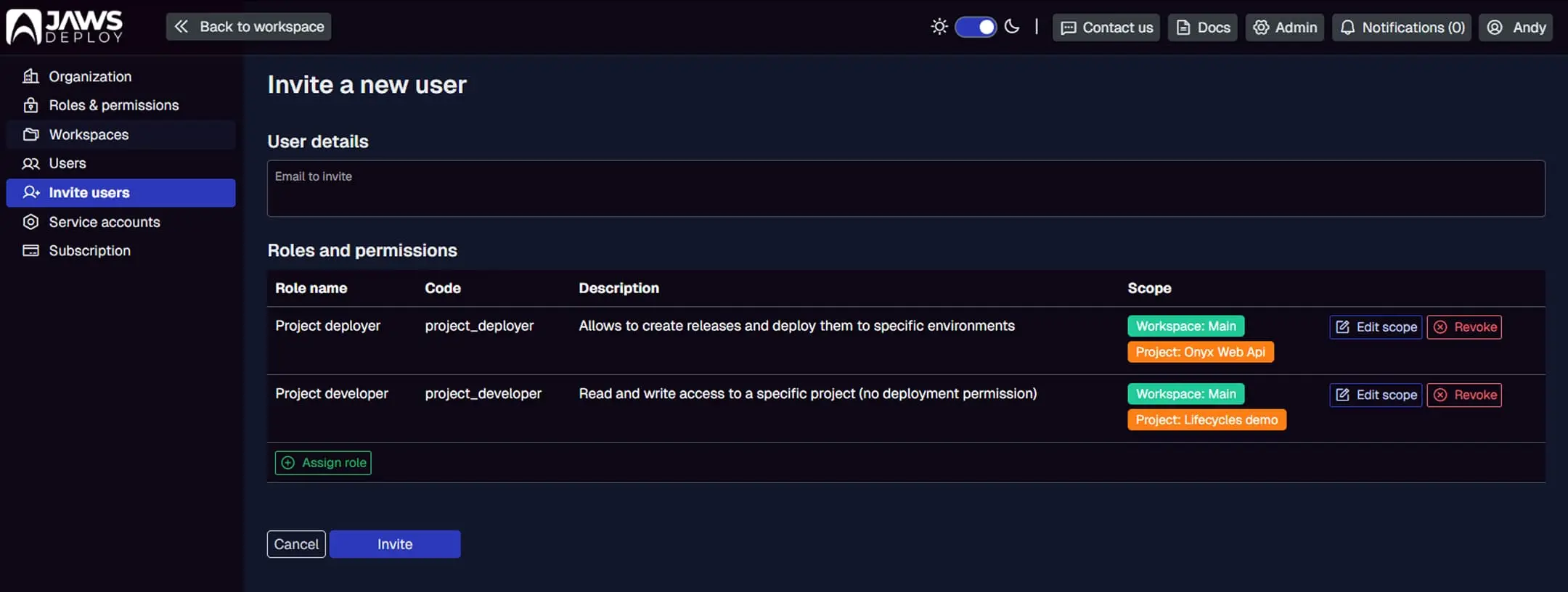
Shows invite history with statuses, dates, inviters, and expirations—part of user audit.
Best Practices
- Regular Reviews: Use trends to spot patterns (e.g., frequent failures in Staging); set alerts for errors.
- Automation: Trigger deploys via API for auditable CI/CD; log custom notes in releases.
- Security: Limit roles; rotate API keys; use debug sparingly in Prod.
- Migration from Bamboo: Import Bamboo logs as initial history; align triggers for consistent auditing.
- Performance: Filter large histories; archive old deploys if needed.
- Compliance: Enable all logging; integrate with SIEM tools via API.
Conclusion
Deployment history and auditing in Jaws Deploy deliver the visibility and accountability needed for robust CD, simplifying enterprise migrations from tools like Bamboo with intuitive UI and API support.
For more, see Executing Deployments or Service Accounts and Automation. Review your history—check the dashboard! New to Jaws? Start with Getting Started.