Why Modern CD Beats Legacy Approaches
In the world of software delivery, deployment tools have evolved from rudimentary scripts and manual processes to sophisticated platforms that automate and orchestrate releases. Traditional tools—like CI servers (e.g., Jenkins, TeamCity), custom Bash or PowerShell scripts, or even basic file transfer methods (FTP, SCP)—have served teams well for years. However, as applications grow in complexity with multi-environment setups, cloud integrations, and compliance needs, these legacy methods often fall short.
Jaws Deploy emerges as a modern continuous deployment (CD) solution, bridging the gap between simple CI outputs and reliable, scalable deliveries. In this guide, we'll compare Jaws Deploy to traditional tools, highlighting key differences, advantages, and when it makes sense to switch. We'll draw on real-world scenarios to show how Jaws simplifies what used to be painstaking work, all while keeping costs low and usability high.
What Are Traditional Deployment Tools?
Traditional deployment tools typically refer to:
- CI Servers as Deployment Hacks: Tools like Jenkins, GitHub Actions, or TeamCity, originally designed for building and testing, often get extended with plugins or scripts to handle deployments. For example, a Jenkins pipeline might use SSH to copy files to a server.
- Script-Based Approaches: Custom scripts in Bash, PowerShell, or Python that automate file copies, service restarts, or config updates. These are lightweight but require manual maintenance.
- Manual or Basic Utilities: Tools like FTP clients, rsync, or cloud CLIs (e.g., AWS CLI, Azure CLI) for pushing artifacts directly to targets.
These methods are free or low-cost to start but scale poorly. They lack built-in features for environment management, auditing, or rollback, leading to brittle processes prone to human error.
Key Pain Points with Traditional Tools
While traditional tools get the job done for small projects, they introduce challenges as teams grow:
- Lack of Centralized Management: Deployments are often siloed in scripts or pipeline configs, making it hard to visualize progress or history across environments. Debugging a failed deploy might involve sifting through console logs.
- Manual Environment Handling: Switching configs between dev, staging, and production requires custom logic in scripts, increasing the risk of leaks (e.g., prod secrets in staging).
- Limited Reusability: Scripts are duplicated across projects, leading to inconsistencies. Updating a common step (like installing a cert) means editing multiple files.
- Security and Compliance Gaps: Exposing credentials in scripts or pipelines is risky, and auditing who deployed what is manual.
- Scalability Issues: As targets multiply (e.g., multiple VMs, cloud apps), orchestration becomes chaotic without native support for parallelism or dependencies.
- No Built-in Monitoring: You rely on external tools for deployment trends, error tracking, or alerts.
These issues can lead to longer release cycles, higher downtime, and frustrated teams.
How Jaws Deploy Addresses These Challenges
Jaws Deploy is built for modern CD, focusing on automation, visibility, and reuse without the overhead of enterprise bloat. Unlike traditional tools, it provides a unified UI and API for managing the full deployment lifecycle. Here's a side-by-side comparison:
| Aspect | Traditional Tools (e.g., Jenkins/Scripts) | Jaws Deploy |
|---|---|---|
| Setup and Learning Curve | Steep for custom scripting; requires DevOps expertise to configure pipelines or agents. | Quick start with a web-based UI. Install the lightweight Jaws Agent on targets in minutes. Guides like our Getting Started walk you through your first deploy. |
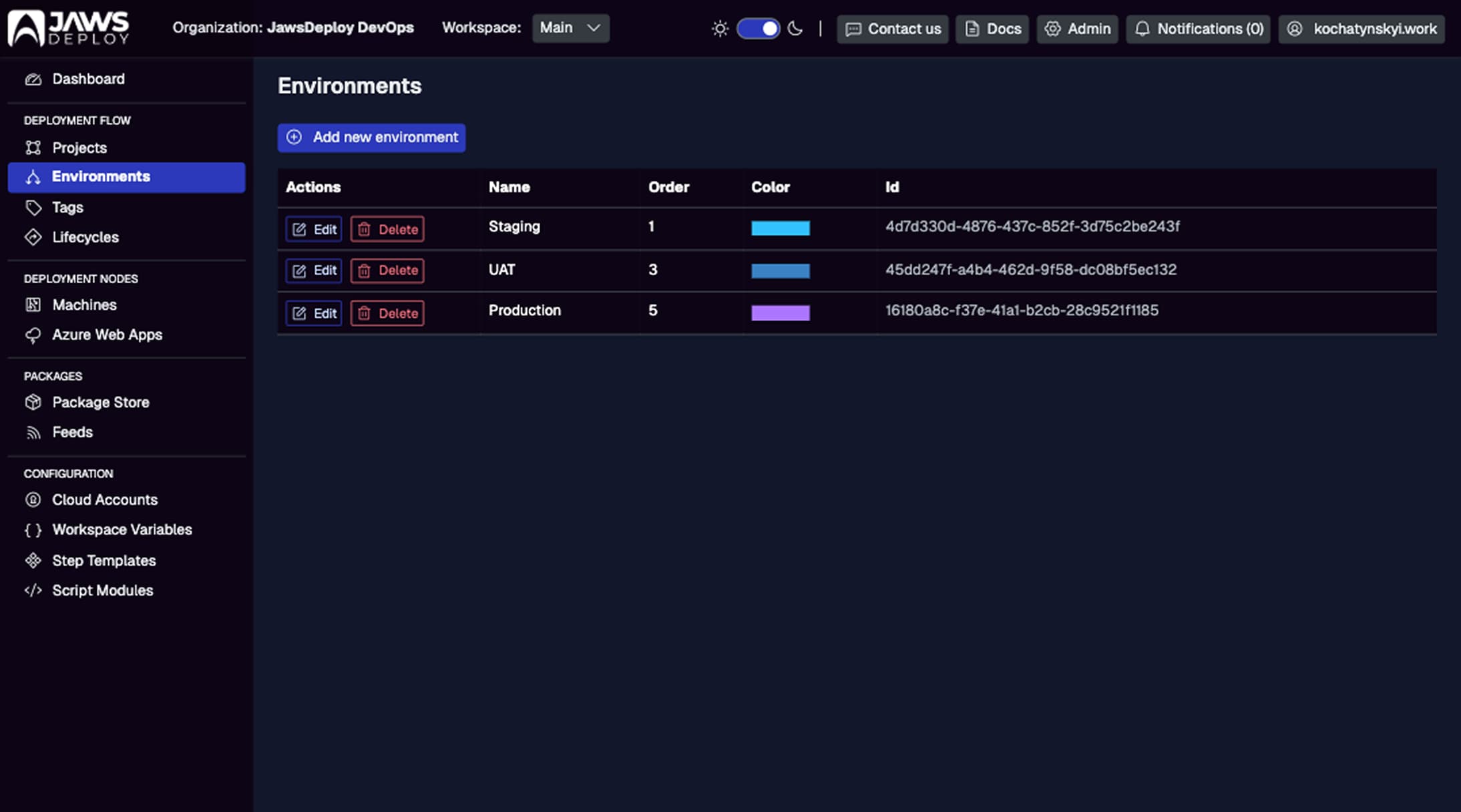
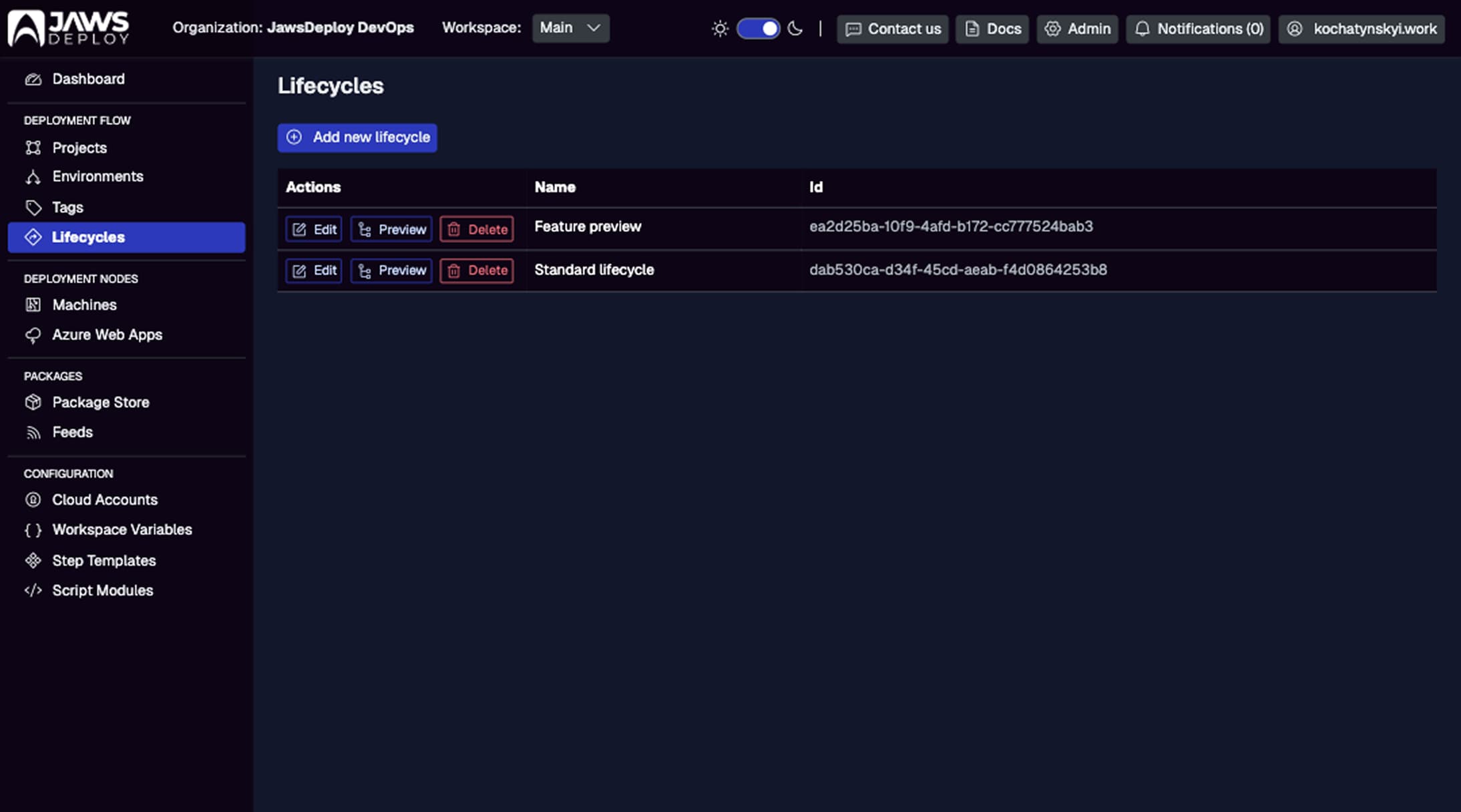
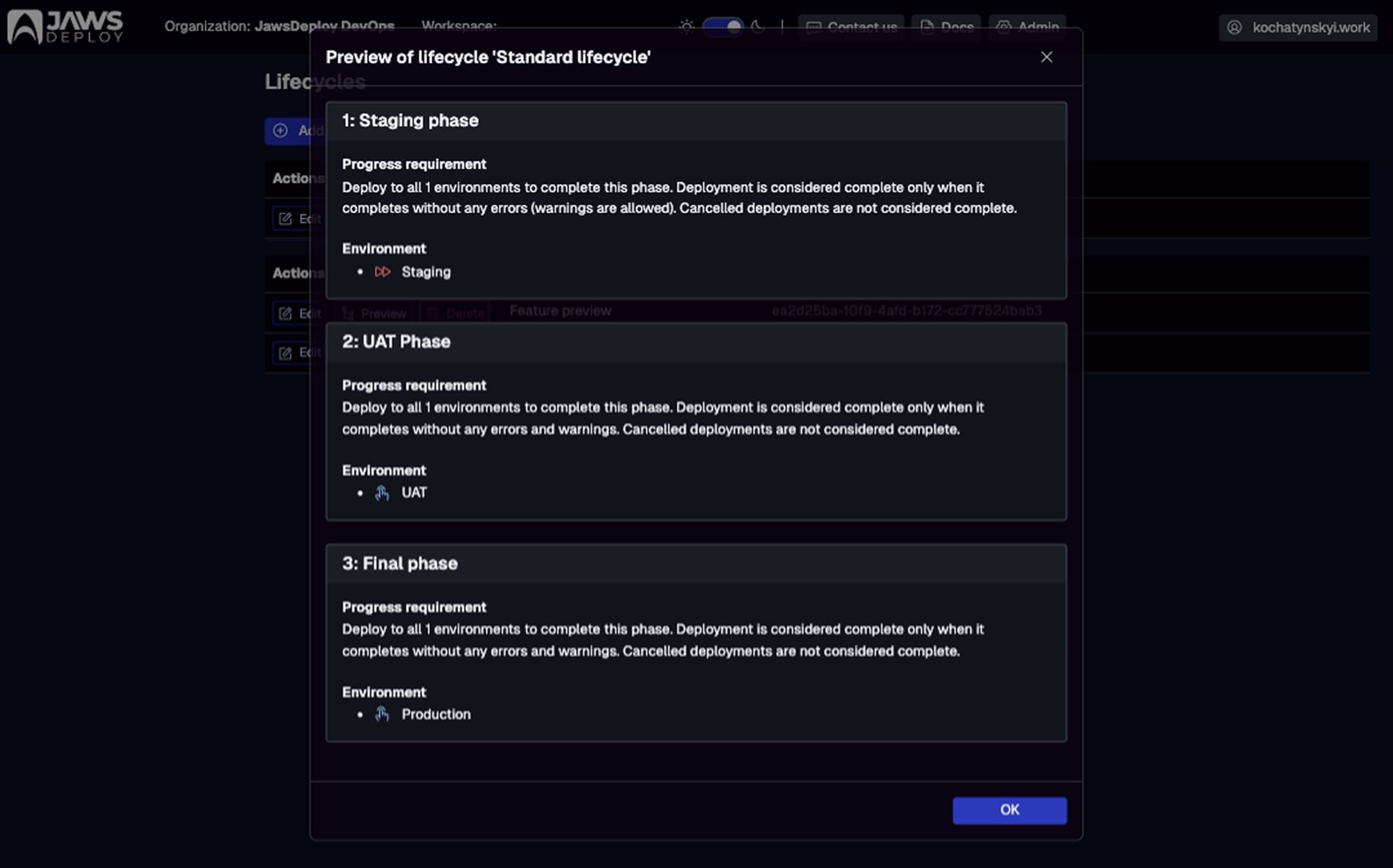
| Environment Management | Manual via if-else in scripts or env vars in CI. No progression rules. |
Built-in environments (e.g., Staging, Production) with lifecycles for automated promotion.
Scope variables and steps to prevent config leaks.
|
| Reusability | Copy-paste scripts; version control helps but lacks templates. | Step templates and script modules for reusable logic (e.g., PowerShell-based cert installation). Share across projects via workspace variables. See our guide on Code Reuse with Script Modules. |
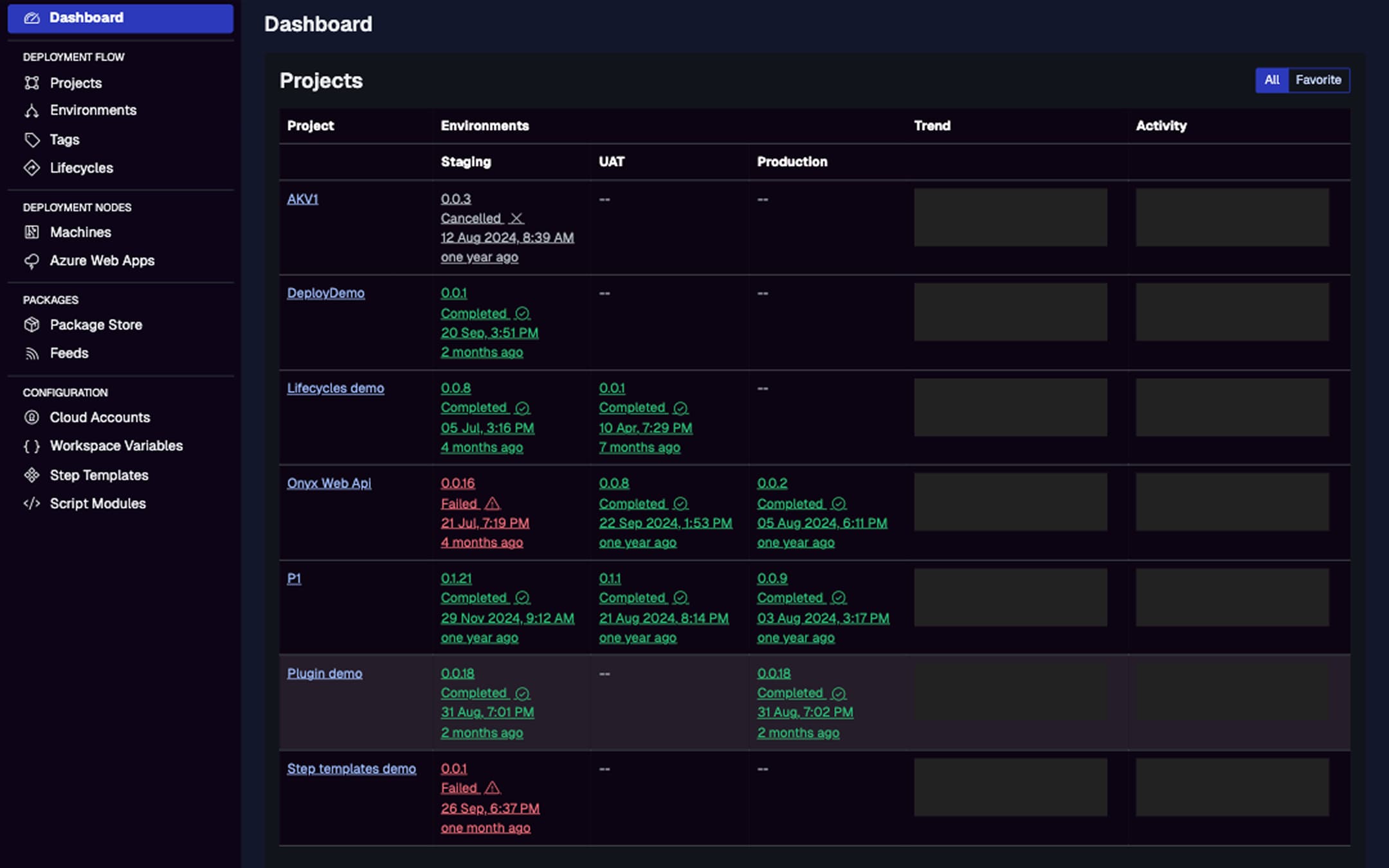
| Visibility and Auditing | Limited to log files or CI dashboards; no unified history. |
Real-time dashboards with deployment history, durations, errors, and trends. Filter by project or environment.
 |
| Security | Credentials often hardcoded or in env vars; easy to expose. | Secure variables (secrets) with scoping; service accounts for API access. Integrates with Azure Key Vault for external storage. |
| Integrations | Plugin-heavy (e.g., Jenkins plugins); custom webhooks. | Seamless with CI tools like TeamCity (native integration), GitHub Actions, or Jenkins via REST API. Automate releases post-build. Check our CI/CD Integration Guide. |
| Scalability | Handles basics but chokes on complex topologies without add-ons. |
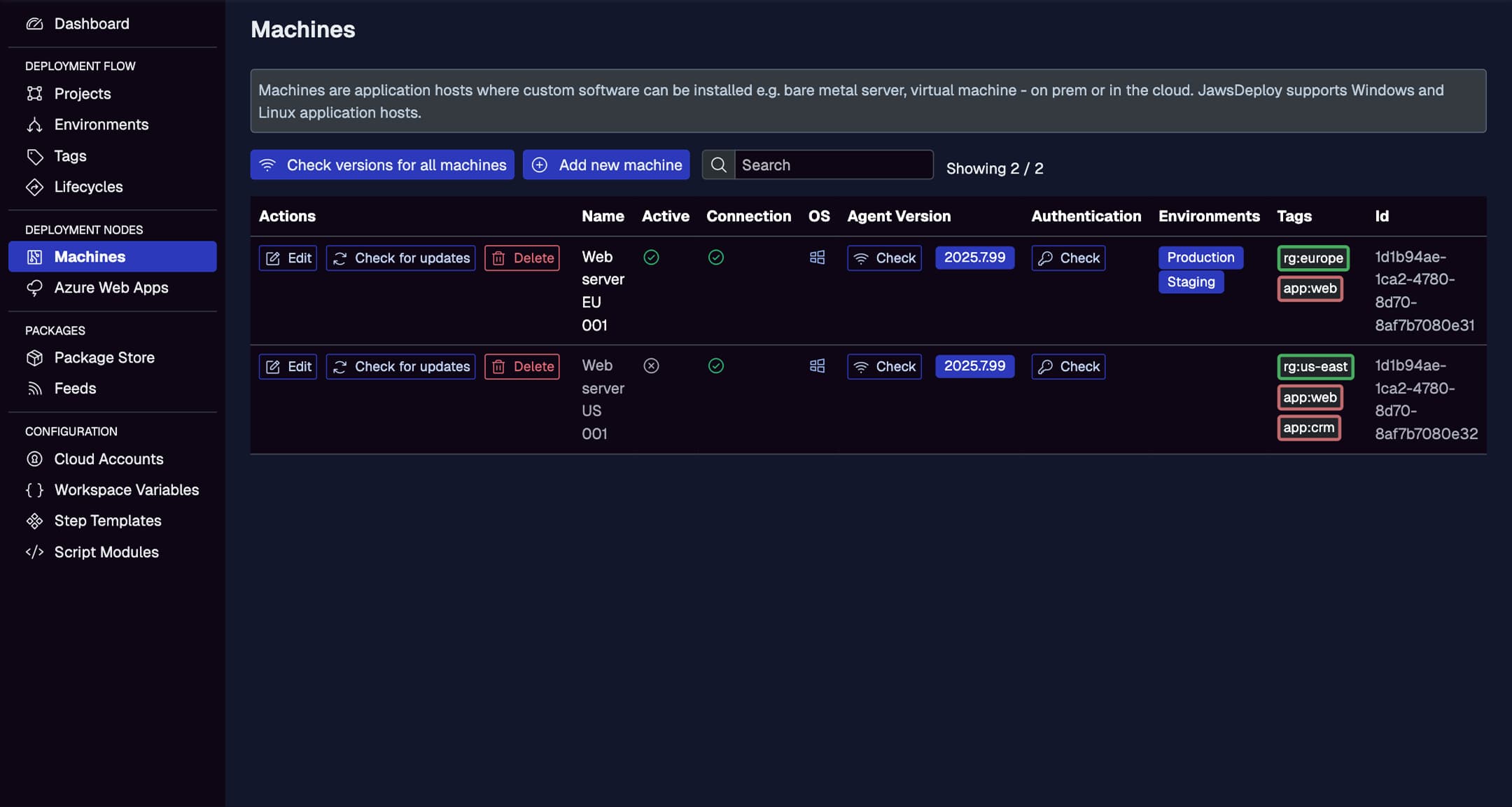
Tags for targeting groups of machines/cloud apps; parallel deploys out-of-the-box.
Supports Windows/Linux agents and Azure Web Apps.
 |
| Cost | Free tools but high maintenance time; paid plugins add up. | Transparent pricing starting free; no per-user fees. Far more affordable than over-engineered alternatives. |
| API and Automation | Varies; scripts are automatable but fragmented. | Full REST API for everything — create releases, trigger deploys, query status. No CLI yet, but PowerShell SDK fills the gap. |
Jaws shines in scenarios where traditional tools falter, like deploying a .NET app to Azure Web Apps. Instead of scripting Azure CLI commands, define a project step, upload a package to the store, and deploy with one click or API call. Manage versions securely without external feeds if needed.

Real-World Examples: Jaws in Action
- From Jenkins to Jaws: A team using Jenkins for builds but manual SSH for deploys switched to Jaws. They integrated via API, using lifecycles to auto-promote from Staging to Production after approvals. Result: 50% faster releases, with full audit trails.
- Script Overhaul: A solo dev with PowerShell scripts for VM updates adopted Jaws' script modules. Reusable "Run Script" steps eliminated duplication, and variable expressions handled env-specific paths dynamically.
- Cloud Migration: Teams on Azure CLI scripts benefited from Jaws' native Azure integrations, scoping secrets to cloud targets for secure, repeatable deploys.
These examples highlight Jaws' focus on developer-friendly features, like expression-based variables (#{VAR.myVar}) and agent auto-updates, which reduce toil compared to maintaining traditional setups.
When to Choose Jaws Deploy Over Traditional Tools
Stick with traditional tools for ultra-simple, one-off deploys or if you're already deeply invested in a CI ecosystem without CD needs. But if you're dealing with:
- Multiple environments or targets.
- Need for auditing and visualization.
- Desire to reuse logic without code duplication.
- Integration with modern CI/CD pipelines.
Jaws Deploy is a no-brainer upgrade. It's especially appealing for small-to-medium teams seeking Octopus-like power without the price tag—our migration guide from tools like Octopus shows how seamless the switch can be.
Conclusion
Traditional deployment tools laid the foundation for automation, but in the era of hybrid clouds and rapid iterations, modern teams require more. Jaws Deploy modernizes CD by combining an intuitive UI, robust APIs, and cost-efficiency, letting you focus on shipping features instead of fighting your tools.
Ready to try? Sign up at jawsdeploy.net and deploy your first project today. For questions, hit our Contact Us page or dive into guides for hands-on tips. If you're migrating, check How Jaws Compares to Octopus Deploy for tailored advice.