A Modern Platform for Streamlined Continuous Deployments
In today's fast-paced software world, getting your code from development to production reliably and quickly is crucial. That's where Jaws Deploy comes in—a powerful, user-friendly continuous deployment (CD) platform designed for agile DevOps teams. Whether you're managing on-prem servers, cloud services, or hybrid setups, Jaws Deploy simplifies the complexities of deployment automation, letting you focus on building great software rather than wrestling with pipelines.
Founded in 2023 by a team of experienced software and DevOps engineers, Jaws Deploy was created as an accessible alternative to tools like Octopus Deploy. As long-time users of Octopus, the founders appreciated its capabilities but found its pricing and complexity challenging. Jaws Deploy aims to deliver similar power with greater simplicity, affordability, and focus on real-world needs—handling about 80% of common deployment scenarios without unnecessary bloat.
In this article, we'll break down what Jaws Deploy is, its key features, how it works, and why it might be the right fit for your team. Let's dive in.
The Core Purpose of Jaws Deploy
At its heart, Jaws Deploy is an automated deployment platform that orchestrates releases across multiple environments. It wraps up the intricacies of continuous delivery (CD), providing a clear path from your CI tools (like TeamCity or Jenkins) to live production systems. As described on the Jaws homepage: "Use Jaws Deploy to orchestrate multi-environment deployments with configuration management, reusable workflows and seamless integration into your CI/CD pipelines."
It's built for teams of all sizes— from solo developers to enterprise groups—handling everything from simple web apps to complex microservices. By modeling your infrastructure, defining reusable steps, and integrating with your existing toolchain, Jaws ensures deployments are consistent, auditable, and scalable.
Key benefits include:
- Speed and Efficiency: Automate repetitive tasks to reduce manual errors and accelerate releases.
- Visibility: Real-time insights into deployment progress, history, and trends.
- Security and Control: Scoped variables and role-based access to protect sensitive data.
- Cost-Effectiveness: Transparent pricing starting at free, without per-user fees or hidden costs.
Key Features of Jaws Deploy
Jaws Deploy packs a robust set of features tailored for modern CD workflows. Here's a breakdown of the standout ones, categorized for clarity:
Deployment Automation
- Step-Based Pipelines: Build deployment flows using ordered steps in projects. Use built-in templates for tasks like "Deploy Package" or "Run Script," or create custom PowerShell-based steps. Steps can be scoped to specific environments or targets for precision.
- Lifecycles and Channels: Define progression rules with lifecycles (e.g., auto-promote from Staging to Production after approvals). Channels allow variant flows, like hotfixes bypassing full testing.
- Live Previews and Logs: Monitor deployments in real-time via the UI or API, with structured logs grouped by steps and targets. Adjust parallelism to speed things up.
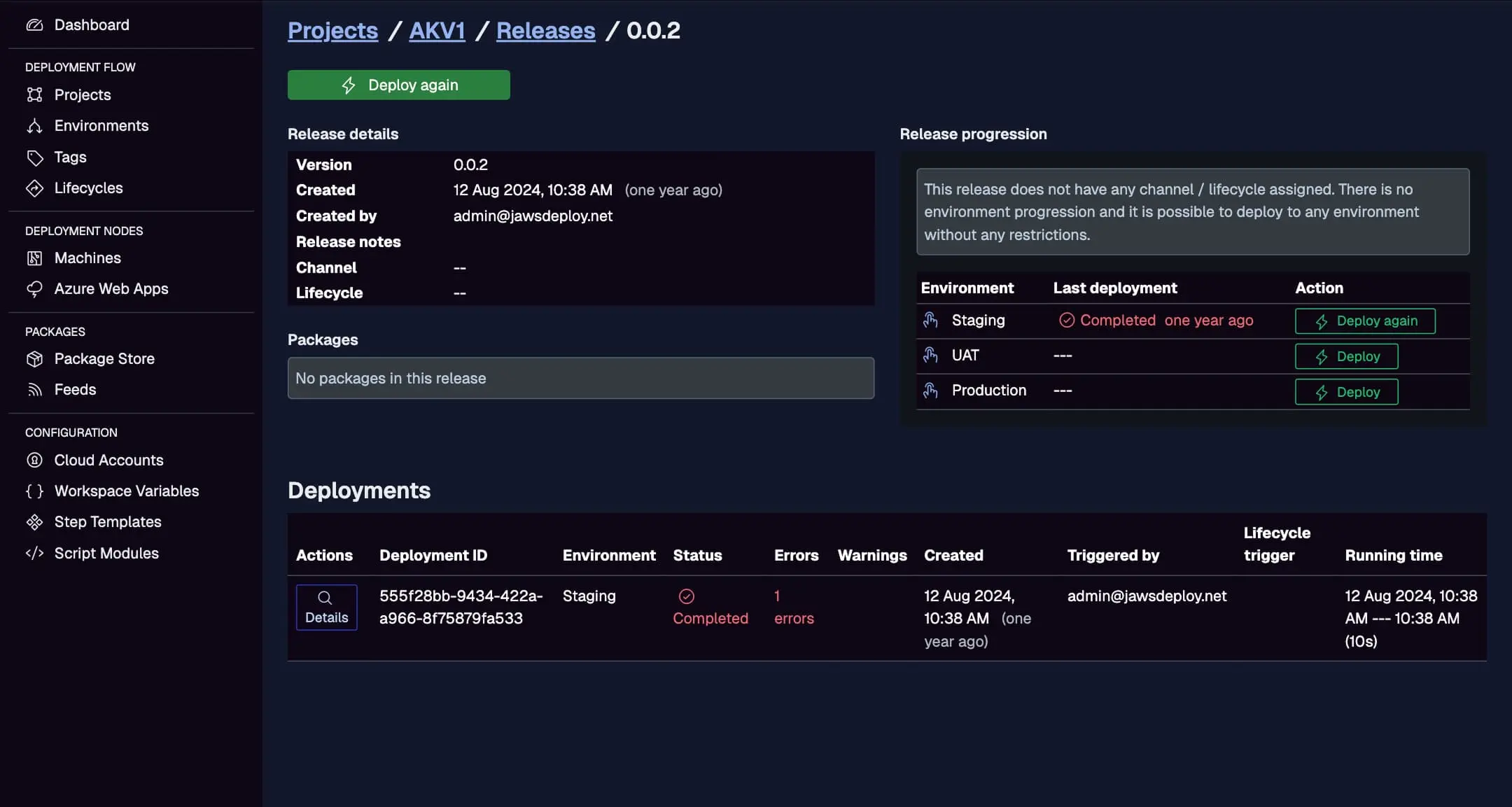
- History and Insights: Every release snapshots the state for easy review. Track durations, errors, and trends over time.
This view shows version info, creation times, statuses, and running durations, helping you diagnose issues quickly.
Infrastructure Management
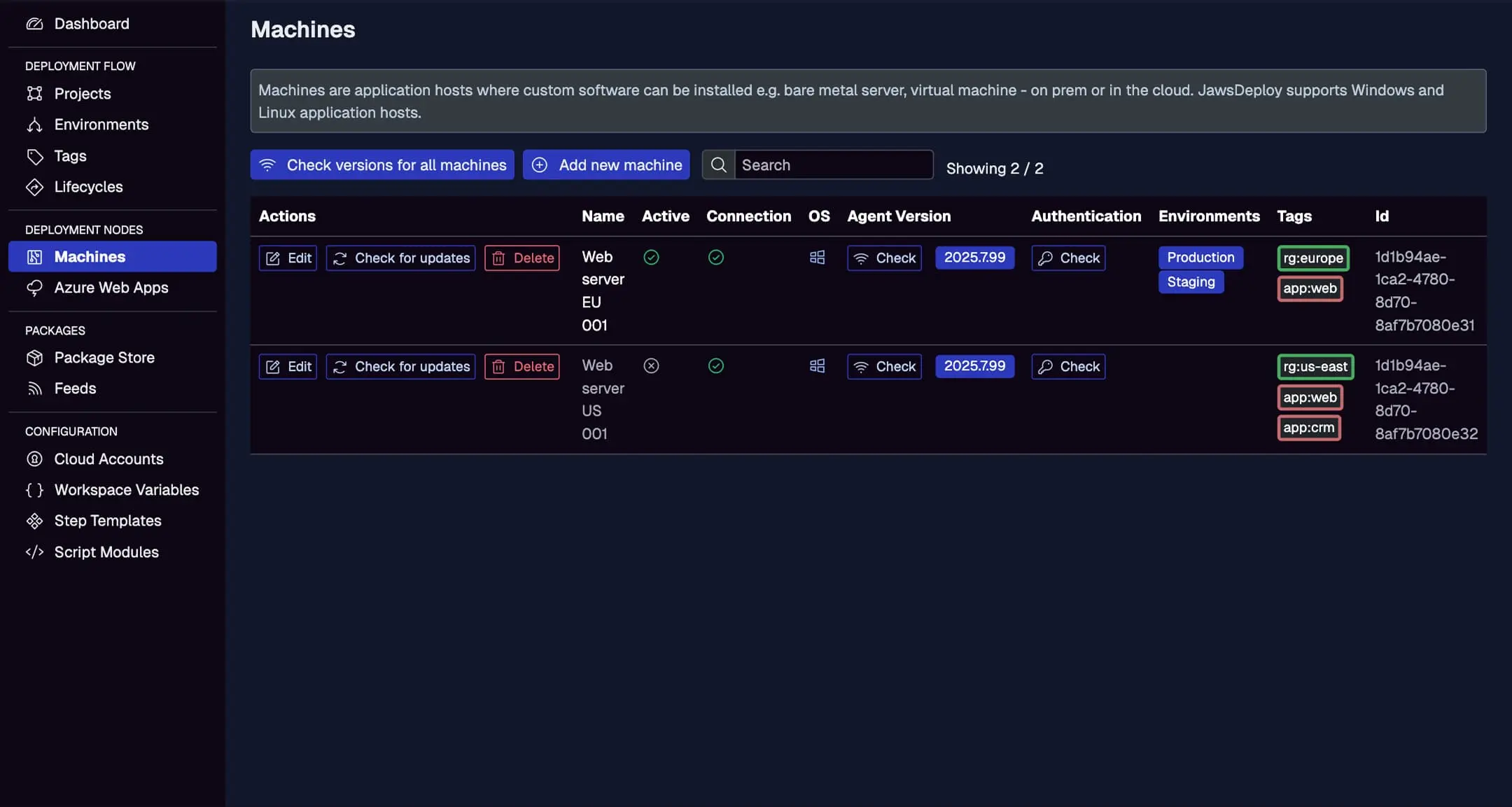
- Environments and Topology: Model your setup with environments (e.g., Dev, Staging, Prod) that group machines or cloud targets. Machines run the lightweight Jaws Agent (Windows/Linux compatible), while cloud targets like Azure Web Apps are managed natively.
- Tagging System: Apply custom tags to organize targets by role, region, or specs—perfect for targeted deploys without overcomplicating logic.
- Cross-Platform Support: Built on .NET 8 and PowerShell 7, with future expansions to bash and Python scripting planned for 2025.
See active machines with connection status, OS details, agent versions, assigned environments, and tags for easy management.
Configuration and Reusability
- Variables: Multi-valued and scoped (by environment, machine, or tag) for dynamic customization. Reference other variables with expressions like
#{VAR.myVar}, and use them for config transforms (JSON/XML), step properties, or script logic. - Script Modules: Reusable PowerShell modules (.psm1) with utility functions, shareable across projects to avoid duplication.
- Step Templates: Pre-built or custom templates with JSON-defined UIs for inputs, enabling reusable patterns like installing services or applying SSL certs.
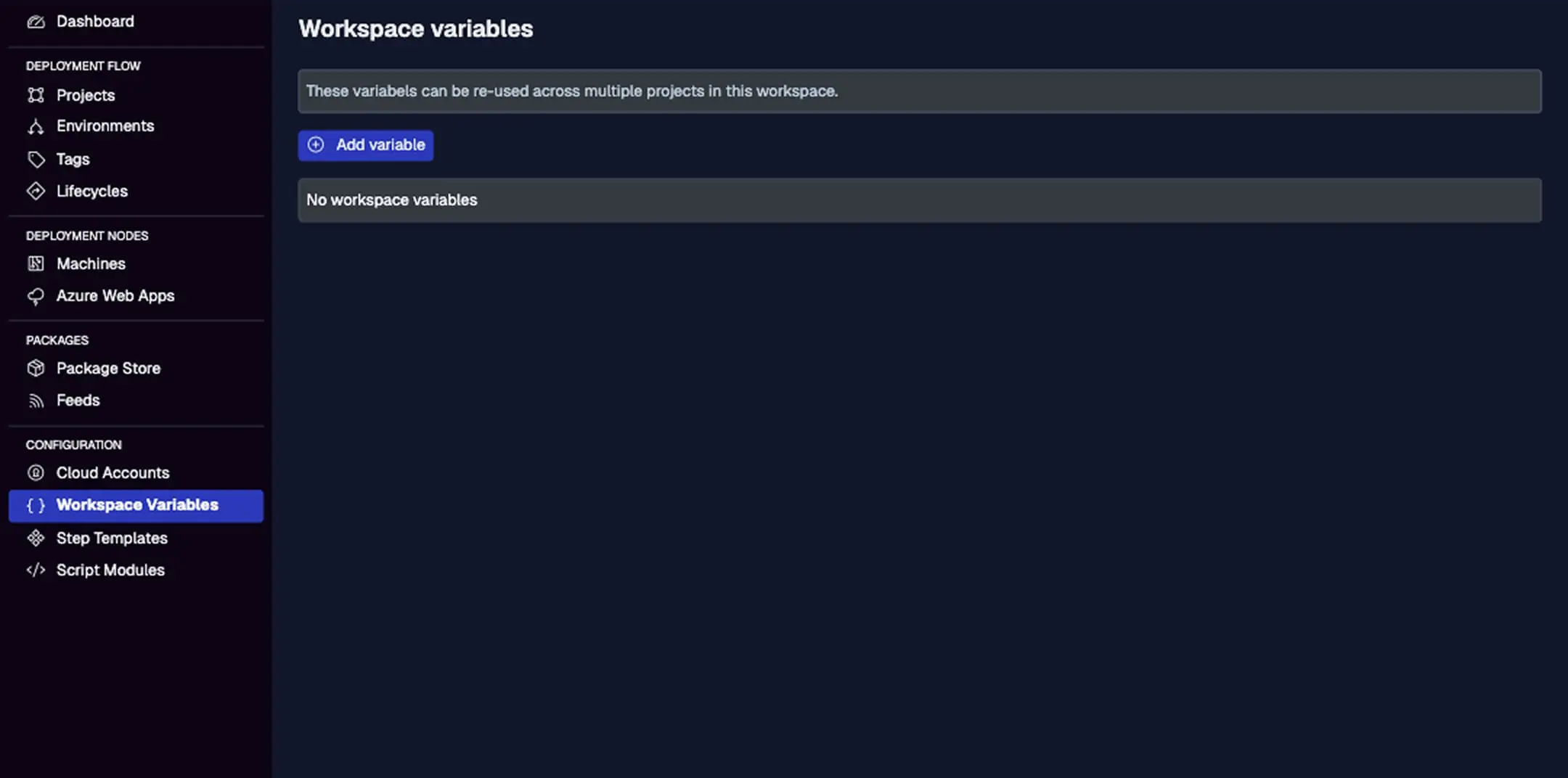
Manage text, secret, or structured variables with scoping options, values, and history tracking.
Packages and Integrations
- Package Stores and Feeds: Built-in feeds per workspace for .zip, .tar.gz, or NuGet packages. Upload manually via UI/API or connect external feeds from CI tools.
- CI/CD Connections: Integrate seamlessly with GitHub Actions, GitLab, Jenkins, TeamCity, and more using REST API or the PowerShell SDK. Automate release creation post-build.
View package IDs, versions, sizes, and upload dates, with options to add new versions or inspect details.

API and Administration
- REST API: Automate everything from release creation to deployment triggers. Authenticate with service accounts and API keys—no CLI yet, but the PowerShell SDK wraps key endpoints.
- RBAC (Roles and Permissions): Built-in roles like Workspace Admin or Project Deployer control access, scoped to workspaces or projects.
- Self-Hosting Option: Use the Jaws Deploy Stack for on-prem installs, with guides for proxy setup and OIDC integration.
How Jaws Deploy Works: A Simple Workflow
- Setup: Create an organization and workspace. Add environments, machines (install agents), or cloud targets.
- Define Projects: Build steps, variables, and lifecycles in a project.
- Create Releases: Version your project state (SemVer 2.0) and associate with a channel.
- Deploy: Push to environments, monitor live, and review history.
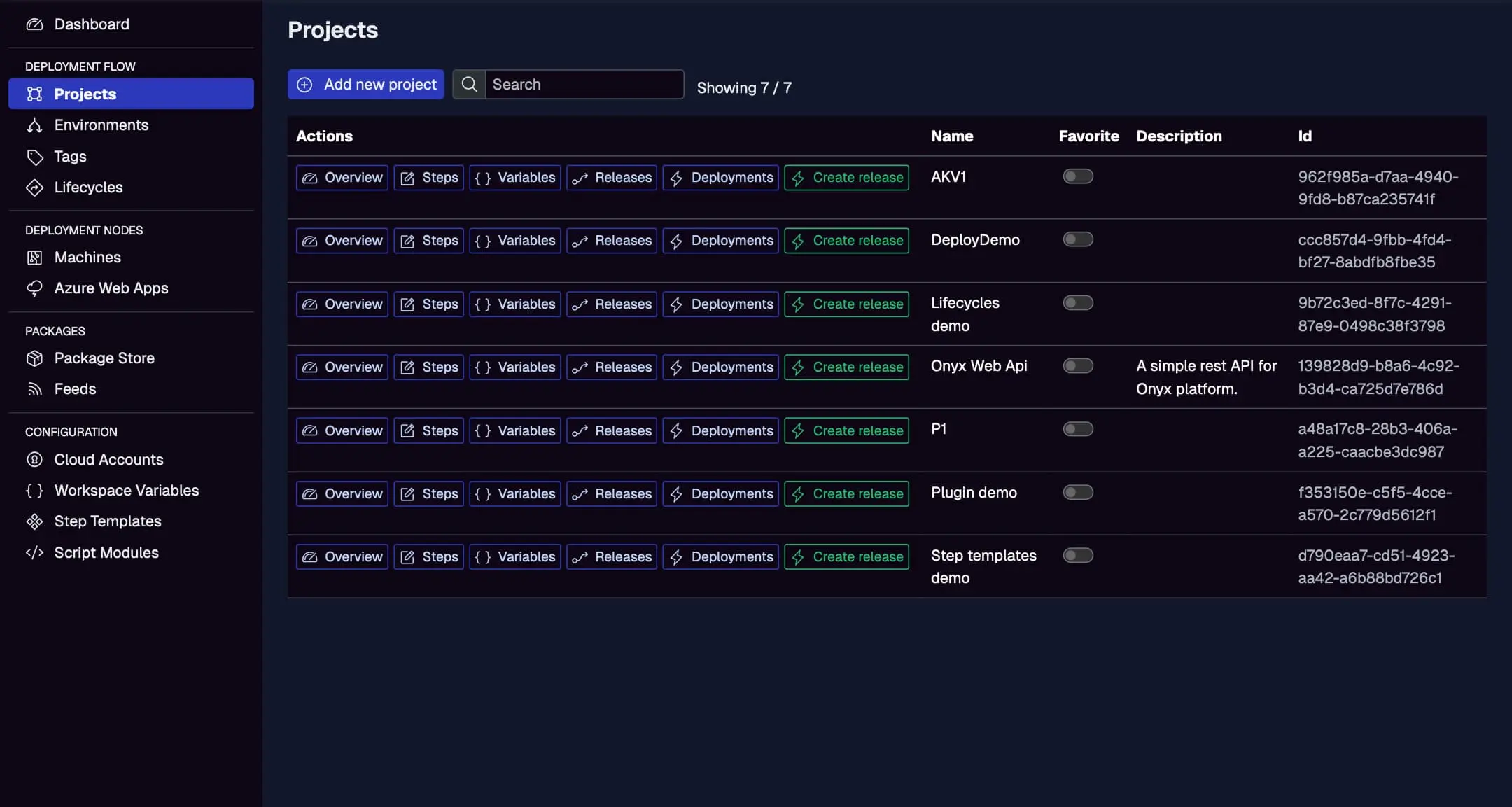
List all projects with IDs, descriptions, and links to steps, variables, releases, and deployments.
Jaws Deploy vs. Competitors Like Octopus Deploy
Jaws Deploy shares many similarities with Octopus Deploy, such as workspaces, projects, environments, variables, lifecycles, and step templates. Both handle multi-environment deploys, tagging, and config transforms effectively.
However, Jaws stands out with:
- Simpler Onboarding: Easier configuration and a more intuitive UI for faster adoption.
- Lower Costs: Starter plan is free forever; Professional at $90/mo + add-ons like $4/machine—far more affordable than Octopus's model based on targets, storage, and parallels.
- Focused Scope: Prioritizes essential features without extras like Runbooks (coming to Jaws in 2025), making it lighter for most teams.
If you're migrating from Octopus or traditional tools, Jaws offers guides to ease the transition, emphasizing its clarity and control.
Pricing and Getting Started
Jaws Deploy keeps things straightforward:
- Starter: Free forever—1 workspace, 1 user, limited targets/projects/storage.
- Professional: $90/mo base + scalable add-ons; 30-day trial.
- Custom: On-prem or tailored plans—contact for quotes.
No credit card needed to start. Sign up at https://app.jawsdeploy.net/signup, and check the Getting Started guide for your first deploy.
Why Choose Jaws Deploy?
If you're tired of brittle scripts, siloed CI tools, or overpriced platforms, Jaws Deploy offers a balanced, modern alternative. It's built by DevOps pros for real teams, with ongoing improvements based on user feedback. Whether deploying .NET apps to Azure or custom services to VMs, Jaws makes CD approachable and efficient.
Have questions? Visit Contact Us or explore features and guides for more. Ready to simplify your deployments? Give Jaws a try today!